
How to Take Meeting Notes That Drive Action, Not Rewrites

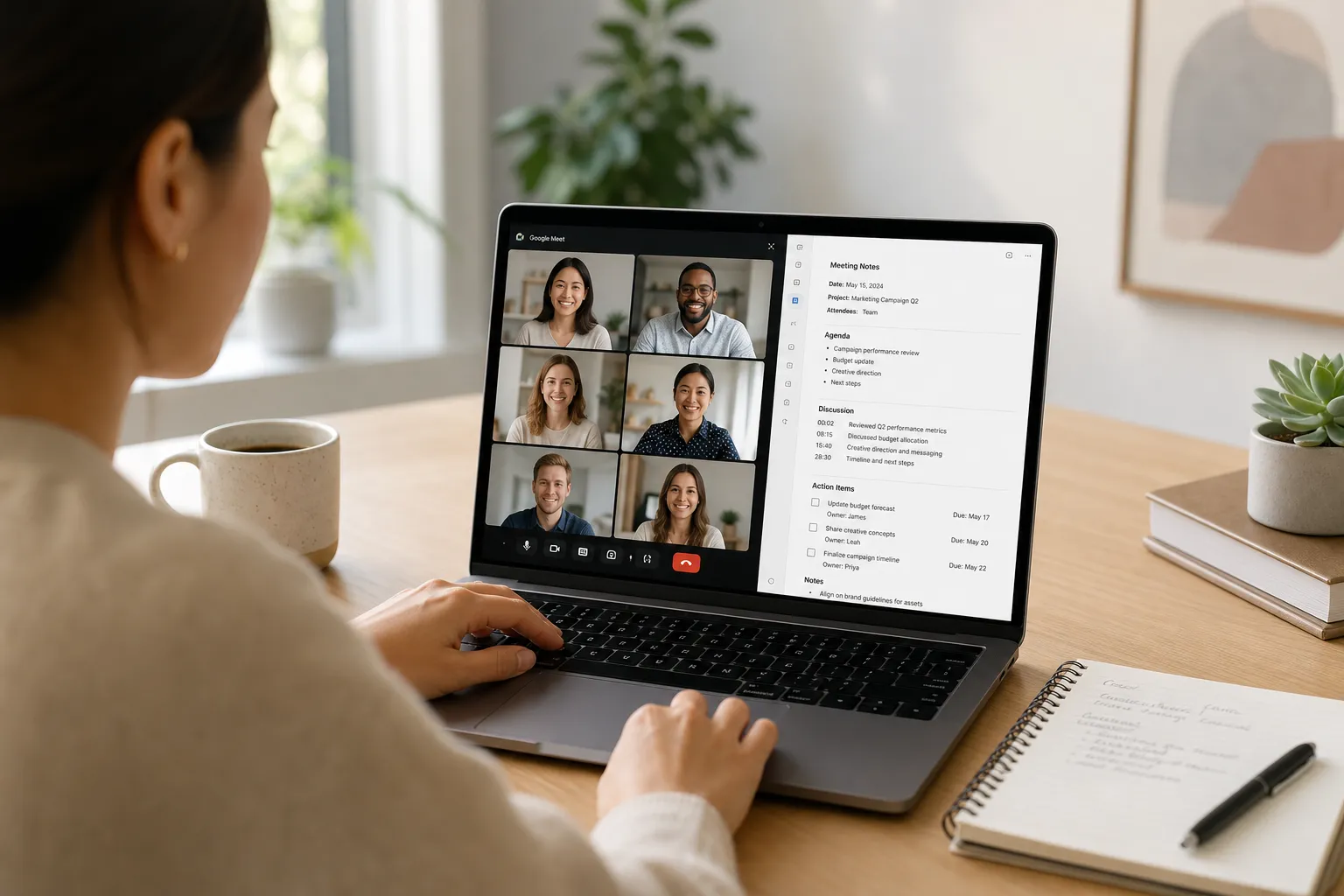
Meetings stall when notes are vague, late, or hard to find. If you keep chasing decisions after the call or re-litigating the same issue next week, the fix is not a longer meeting. It is a better system. Use the playbook below to capture decisions, owners, and deadlines in real time, then ship a clean record that moves work forward.
This guide shows you how to plan for outcomes, structure your notes during the call, close the loop before you hang up, and automate the heavy lifting with an AI meeting assistant that integrates with Google Meet.
Plan for outcomes before you join
Clarity before the call leads to clarity in the notes. Treat the agenda as a list of questions to answer or decisions to make, not a set of vague topics. For example:
- Instead of "Roadmap review," write "Which two features ship in Q3 given the 10% headcount cap?"
- Instead of "Budget," write "Approve or reject +$12k for localization by Aug 15."
Assign roles. A facilitator keeps the group on track. A note-taker listens for facts, owners, and dates. A timekeeper uses time boxes to create clear moments to capture a decision or action before moving on.
Preload context so no one rewrites history mid-call. At the top of the note, add links to the brief, spec, PRD, or ticket. Paste the last decision recap and any key numbers people will cite. This single source of truth reduces side debates and keeps your notes grounded in facts you can reference later.
Use a simple template that anyone can follow. Keep it consistent so your team builds muscle memory and your tools can parse it:
- Purpose: why we are meeting
- Attendees
- Agenda with time boxes
- Decisions and rationale
- Action items with owner and due date
- Risks or blockers
- Parking lot for follow-ups
Write the desired outcome for each agenda item in your draft before the meeting. When the group answers the question, you can capture the result in one clean line without scrambling for words.
Capture the conversation with structure
During the call, record facts verbatim and summarize opinions. Numbers, dates, commitments, and quotes should be word for word. Opinions and rationale can be one line that preserves the logic.
Tag owners and dates in line and use a consistent pattern so your brain and your software can scan and parse later. Examples:
- Action: Draft QA plan @Ivy due 2026-07-01.
- Action: Update pricing page @Nikhil due Fri. Link to brief.
- Decision: Ship v1 with email login only. Rationale: OIDC adds 3 weeks.
- Risk: Vendor timeline may slip 2 weeks if SOW not signed by 6/30.
- Blocker: Legal approval pending on clause 4.2. Owner @Sam.
Mark these elements visibly. Use "Decision:", "Action:", "Risk:", and "Blocker:" at the start of the line. Readers skimming later can spot the important parts in seconds.
Time-stamp pivotal moments if you are recording the call. Add a quick time code beside key points, such as 24:18 for the final scope decision. When someone asks what the team actually agreed to, you can jump to the exact moment and hear the words that were said.
Keep the note scannable. Use short bullets, one topic per line. If a side topic emerges, park it. Write "Parking lot: schedule UX review of onboarding flow" and move on. Your future self will thank you.
Close the loop in the last five minutes
Reserve the final minutes of the meeting to turn discussion into commitments. Read back the decisions and the action list. Ask each owner to confirm scope and timing with a yes or a precise correction. This habit turns a draft into a documented agreement while everyone is present.
Translate actions into tasks, not just text. If you track work in a task manager, move each action line into the system and link back to the meeting note or recording for context. Keep the meeting note as the source of truth. When the task gets updated, participants can click back to the rationale and avoid reopening old debates.
Share quickly while the conversation is fresh. Send the note within an hour, or share AI meeting recaps in Slack, and set permissions so stakeholders can read without friction. Use clear, consistent naming like "2026-06-18 Product Sync – Decisions and Actions" so future searches work.
Automate with an AI meeting assistant
Manual note-taking in a fast discussion is error prone. An AI meeting assistant that joins your Google Meet, records, and transcribes gives you a safety net without pulling you out of the conversation. note1.ai integrates with Google Meet, captures the full discussion, and turns it into searchable notes with automated summaries, decisions, and action items.
What this looks like in practice:
- Before the meeting: connect your calendar so the assistant can join the right calls.
- During the meeting: the assistant records, transcribes, and identifies speakers. You focus on listening, threading the discussion, and tagging owners and dates.
- Right after: you get an auto-generated summary, a list of decisions, and an action list you can review and refine in minutes. Push actions to your task tracker while preserving owner, due date, and context.
- Later: full-text search helps you find past decisions across months of calls. When a question resurfaces, you can quote the exact wording and link the source.
This combination gives you the judgment of a focused human note-taker plus a verbatim transcript to verify wording and dates later. It also shortens post-meeting cleanup from an hour to a few minutes.
Share, search, and scale what you learned
Good notes compound when they are easy to access and easy to consume. Keep a shared repository with standard folders, tags, and naming. Add a short summary at the top of every note so busy stakeholders can get the gist in 10 seconds.
When you share short video highlights, add captions so people can watch on mute and quote accurately. A web-based ai subtitles generator explains how to burn translated, styled captions onto clips in minutes in their article "Burn subtitles into video online and export ready to post," which is useful for posting internally or to social platforms.
Seed your workspace with two or three model notes that show what "good" looks like. Include a filled-in agenda, a final summary, and a clean action list. Ask new note-takers to copy one of these for their first few sessions, then adapt as needed. Over time the team will converge on naming, tags, and formats that fit your work.
Key takeaways
- Write agenda items as questions with clear outcomes, and preload links and facts at the top of the note.
- Capture facts verbatim, summarize opinions, and label Decisions, Actions, Risks, and Blockers so they stand out.
- Tag owners and dates in the same line using a consistent pattern, then confirm everything in the last five minutes.
- Automate recording, transcription, and summaries with an AI assistant for Google Meet so you can focus on facilitation.
- Publish notes within an hour, link tasks back to context, and keep everything searchable and standardized.
Actionable notes are a habit you can build. With a simple template, a few clear labels, and an AI safety net for Google Meet transcription and summaries, your meetings will end with decisions, owners, and next steps that actually get done.