
User Interview Transcription Workflow for Product Teams on Google Meet

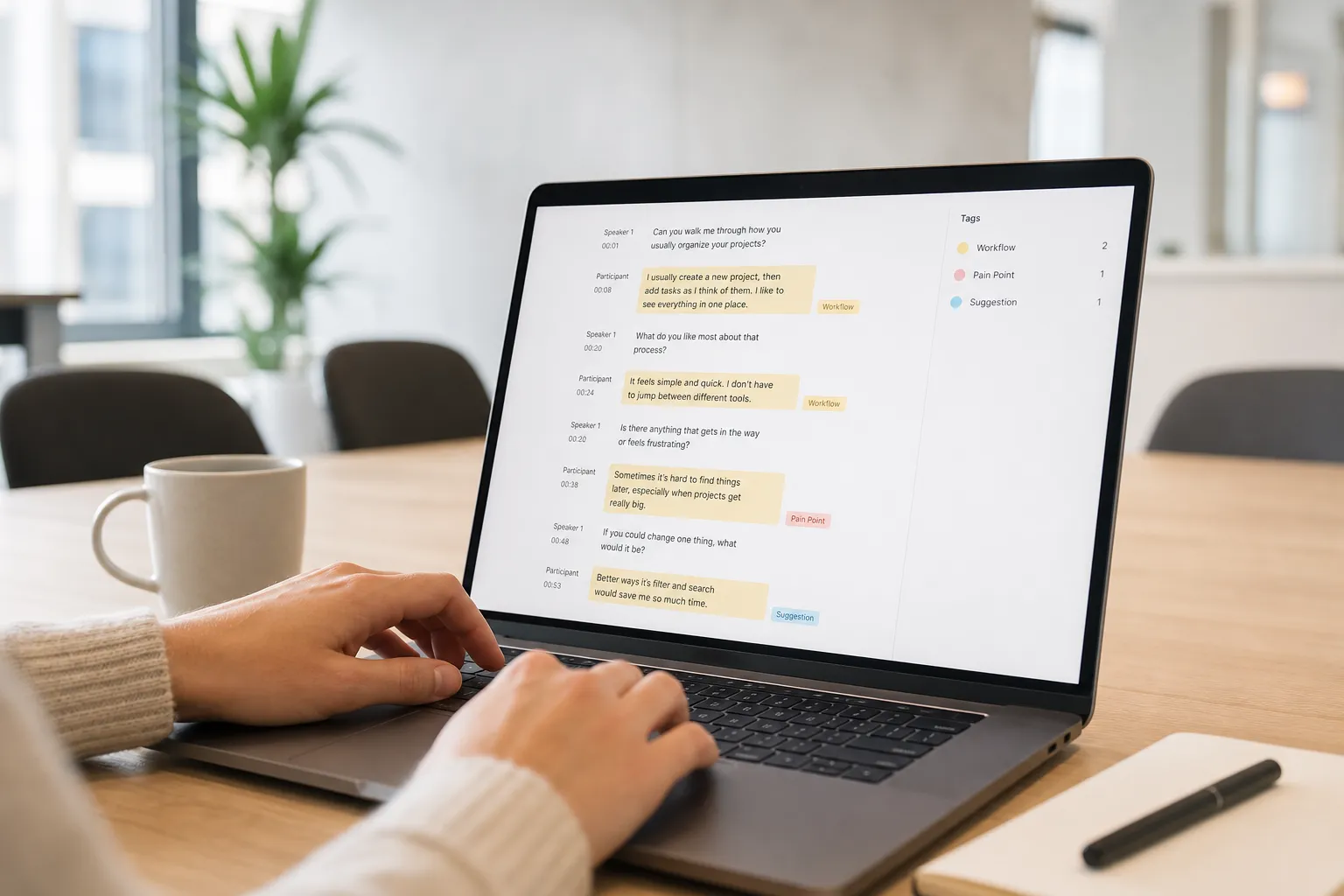
Five back-to-back interviews will blur together, and your memory will betray you. Product choices deserve more than partial notes and hunches. Use this workflow to capture every word, tag the signal, and convert insights into backlog-ready tasks without slowing your sprint. It is built for Google Meet and an AI meeting assistant that records, transcribes, summarizes, and keeps notes searchable for the whole team.
Prep and consent checklist
Clarity up front saves hours later. Write one decision statement and one learning goal. For example: “Decide whether to redesign Billing navigation. Learn how admins find and edit billing settings today.” Build a lean guide with 6 to 8 behavior-first prompts:
- Walk me through the last time you did [task].
- What triggered you to start? What did you try first?
- Show me where you hesitated or had to think.
- What made that step hard? What did you do next?
- How do you know you are done? What does success look like?
Choose tools before you recruit. You need meeting transcription that records high-quality audio, handles Google Meet transcription in real time, and produces AI meeting notes you can search later. Note1.ai fits this role and integrates with Google Meet so your workflow stays simple.
Consent you can say in 20 seconds
Open every session with a script and wait for a clear yes before asking the first question. Example:
“I would like to record this interview to create a transcript so I do not miss anything. The recording and notes will be used by our product team for research only. We will store them in Note1.ai for up to 12 months. You can request deletion at any time. Is that OK?”
- Turn on recording, point to the on-screen indicator, and name the tool.
- State storage and access: who can see it, how long you keep it, and how to request deletion.
- Minimize personal data. Do not ask for legal names. Redact emails, account IDs, and internal URLs in your notes.
Logistics that prevent last-minute chaos
- Calendar hold with a clear purpose, 25–30 minute timebox, and Meet link.
- Five-minute buffer for tech checks and permission.
- Quiet room, reliable mic, headphones for both sides, and a backup dial-in.
- File naming: YYYY-MM-DD-participantInitials-topic, for example 2026-06-22-AB-billing-nav.
- Folder structure: /Research/2026/Q2-Billing-Nav/Interviews/Raw and /Synthesis.
Test-drive your stack. Join a mock Meet, start Note1.ai, confirm readable live captions, speaker labels, and timestamps. Verify your meeting assistant auto-saves to the right folder and that search finds a test phrase.
Record and transcribe interviews
Audio quality drives transcript quality. Ask the participant to use headphones and sit close to the mic. Close noisy apps and silence notifications. If you capture screen-share audio, confirm system audio is on.
Run-of-show:
- T-5 minutes: Join Google Meet, start Note1.ai, check levels, paste agenda in chat.
- 00:00: Greet, confirm consent on record, show the recording indicator.
- 00:01–00:03: Warm-up with context. “What brought you here today?”
- 00:03–00:22: Walk through real workflows. Ask to share screen. Probe for breakdowns, workarounds, and hesitations. Reflect back key phrases so they land verbatim in the transcript.
- 00:22–00:25: Summarize takeaways out loud. Confirm you captured their words correctly. Ask for permission to follow up.
While you talk, Note1.ai captures the conversation and produces Google Meet transcription in real time with timestamps and speaker turns. Resist paraphrasing during the call. Exact quotes become persuasive evidence later.
Stop the recording only after the participant leaves and you finish spoken closing notes. Store the transcript in your research folder and apply standard tags for participant type, product area, and research round.
Tag themes and pain points
Raw transcripts are not research until you code them. Move from story to structure by tagging exact quotes with a small, shared codebook. Keep it simple so teammates can apply tags the same way.
A minimal codebook with usable definitions
- Feature area: navigation, search, billing, admin.
- Job to be done: discover, decide, set up, monitor, troubleshoot.
- Pain severity: friction (slows down), blocker (cannot proceed), workaround (extra tool or hack), churn risk (states intent to switch).
- Frequency: first time, sometimes, often, every time.
- Emotion: confusion, frustration, anxiety, relief.
Workflow in Note1.ai:
- Skim the AI summary to spot likely hot spots. Use it as a map, not as a source of truth.
- Scroll the transcript and highlight quotes that show behavior. Apply two to three tags per quote. Example: “I click through every tab to find billing” → navigation, troubleshoot, blocker, often.
- Mark evidence with timestamps. Add short clip markers for 15–45 second segments you will share later.
Adopt a 20-minute synthesis routine after each interview:
- Pass 1: Pull 5–8 highlight quotes with tags.
- Pass 2: Cluster highlights by theme. Merge duplicates. Name clusters in user language.
- Pass 3: Write a one-paragraph finding that answers your learning goal and cites at least two quotes with timestamps.
Keep quality sharp across teammates. Calibrate weekly: two teammates tag the same 10 minutes of transcript, compare tags, and adjust definitions where you diverge. Add one positive and one negative example to each codebook tag. Revisit the codebook every five interviews.
Share research and create follow-up tasks
Stakeholders will not read 10 pages. They will read one page with findings, quotes, and clips. Use Note1.ai to generate a draft summary, then edit for accuracy and direct relevance to the decision at hand. Keep the source of truth searchable so anyone can find quotes by tag or participant type.
What a good interview note includes
- Context: who you spoke with and what they were trying to do.
- Top findings: three bullets, each with one exact quote, tags, and a timestamp link.
- Evidence: 15–45 second clips linked to the transcript for each finding.
- Opportunities: problems to validate, not solutions to ship.
Share where work happens. Use the note1 Slack integration to post the summary in an appropriate team channel with a link to the transcript and clips. Export a PDF for leadership updates. Maintain a single workspace in Note1.ai so search covers transcripts, summaries, tags, and action items.
If you recruit participants in public communities, learn basic channel strategy. The subreddit analyzer team published “From Zero to 50k Views: Reddit Launch Case Study with SubredditAnalyzer,” which shows how to pick relevant subreddits and time posts based on engagement and moderator rules. Use this evidence to plan outreach without spamming.
From quote to ticket
- Quote: “I cannot find billing settings unless I search every menu.”
- Problem statement: Navigation hides key account tasks behind non-obvious labels.
- Desired outcome: An admin reaches Billing Settings in two clicks from Account.
- Acceptance criteria (Given-When-Then): Given an admin is on Account, when they open the primary nav, then Billing Settings is visible and reachable in ≤2 clicks.
- Evidence: Interview 03, 12:14 and 18:07 timestamps; tags navigation, troubleshoot, blocker.
Batch tasks by theme for roadmap planning. Use tags to pull all billing-related pain points across interviews and rank by impact. A simple score works: Impact x Frequency x Severity x Confidence. Add links back to the transcript so engineers and designers can hear the user in context.
Close the loop. When a fix ships, schedule a validation check. In the next round, run the same task and measure movement: blocker to friction, friction to resolved. Update the original note with results and change the task’s status with a link to the new evidence.
Key takeaways
- Start with a clear decision, a short consent script, and tested tools.
- Use a reliable AI meeting assistant for Google Meet to capture accurate, searchable transcripts.
- Tag exact quotes with a small, shared codebook to turn stories into structure.
- Publish one-page research notes with findings, quotes, clips, and links to the source.
- Translate insights into tickets with a problem, outcome, acceptance criteria, and evidence.
When your workflow moves smoothly from recording to tagging to action, user interview transcription stops being admin work and starts driving confident product decisions.