
Your AI Notetaker Has No Idea Who Said What

Last Tuesday's summary said Marta agreed to move the launch date. Marta was on mute the whole call. The summary went to the client anyway.
Every AI notetaker promises a transcript of who said what. Most of them get the "what" right and quietly guess at the "who." The guess comes from whichever tile the meeting platform highlighted while someone was talking. If the highlight lags, flickers between two people, or points at a conference room instead of a person, the wrong name goes in the record. Nobody re-listens to check.
note1 listens to the conversation itself
Everyone in the room already knows who's talking, because the conversation tells them.
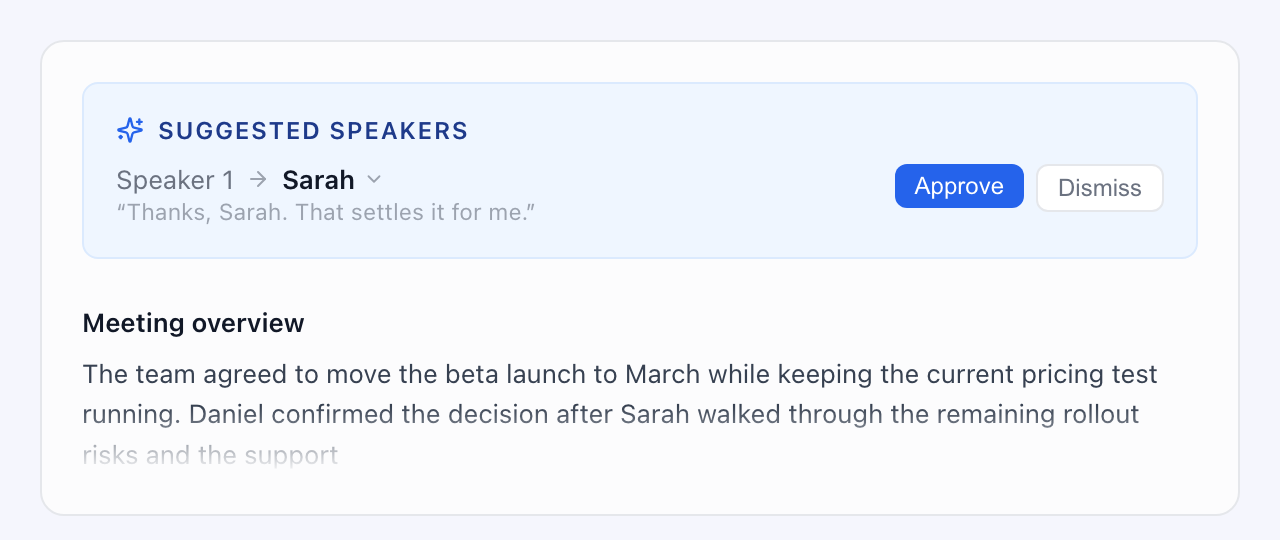
Speaker 1: ...so we'd push the beta to March and keep the pricing test running.
Daniel: Thanks, Sarah. That settles it for me.
You didn't need a highlighted tile to know Speaker 1 is Sarah. Neither does note1.
note1 reads your meeting the way a person would. It picks up introductions ("Hi, I'm Pat, I run platform"), hand-offs ("Sarah, want to take this one?"), and thank-yous, and uses them to put real names on voices. The meeting label is still one input, no longer the only witness.
And it shows its work. When note1 figures out a name from the conversation, you see the exact line it based that on, and you approve it with one click. It never renames someone behind your back.
The conference room test
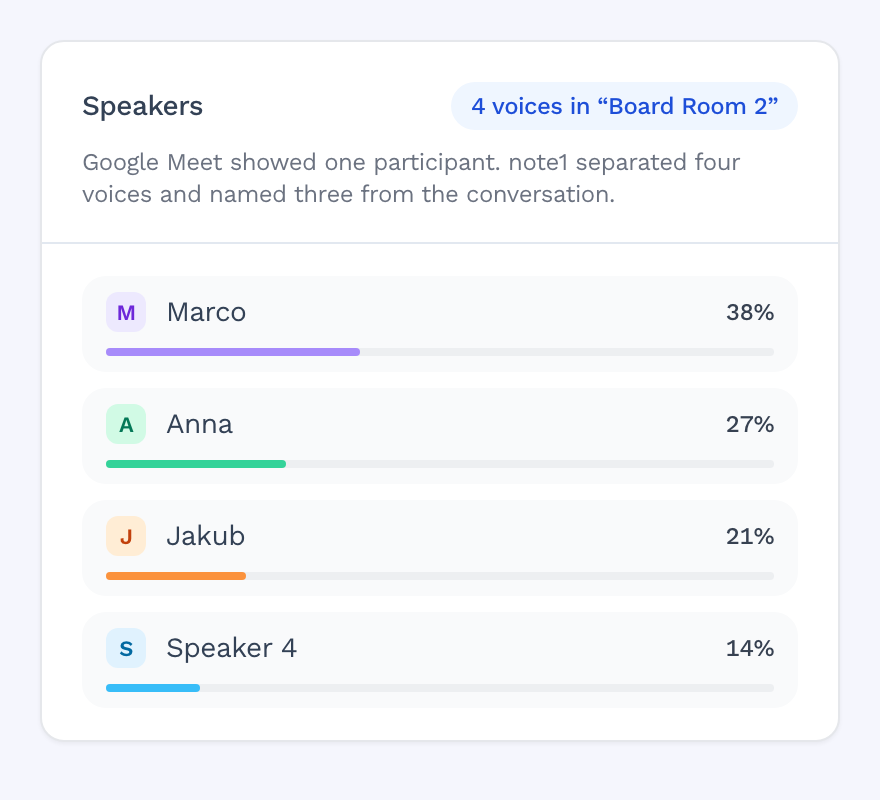
Transcribing a meeting with multiple speakers in one room is where most notetakers fall apart. Try it with yours: put four people on one laptop in a meeting room and record the call.
Most tools give you an hour of "Board Room 2" talking to itself, or a transcript where everyone is Speaker 1. One name, four voices, zero idea who committed to what.
note1 hears four different people, keeps them separate, and names them from the introductions and hand-offs in the conversation. The room's shared laptop stops mattering.
Correct it once, it stays corrected
The first time you tell note1 that "Patrick" in the transcript is actually Patryk from your team, it remembers. Next meeting, he's Patryk from the first minute. Your calendar helps too: note1 already knows who was invited, so a half-mangled name gets matched to the right attendee instead of a stranger.
And when it's not sure, it says so
Some tools put a confident name on every line, no matter what. note1 doesn't. If the evidence isn't strong enough, you'll see "Speaker 2" and a short list of likely candidates, with the reasoning attached. Fixing that takes five seconds.
A missing name costs you five seconds. A wrong name costs you an action item on the wrong person's plate, a client reading a summary that never happened, and a team that stops trusting the notes entirely. We'll take the five seconds.
No voiceprints, ever
note1 doesn't store your participants' voices. Recognition across meetings works through names you've confirmed, not voice biometrics. Nobody's voiceprint sits in a database because they happened to join your standup. Your clients never opted into that, and we never ask them to.
See it on your own meetings
The demo that matters is your Tuesday standup, not ours. Connect note1 to Google Meet, run one real meeting, and check the speaker names against your memory of who actually said what.