AI meeting notes built for one-on-one meetings
A one-on-one loses its rhythm when someone has to document every sentence. note1 captures the meeting transcription so both people can stay present, then turns the conversation into a 1:1 summary, Personal notes, and action items tied back to the source.
The handoff feels much clearer this week. I used the checklist twice and did not need to stop for clarification.
Good. I also want to protect two focus blocks for the launch work instead of letting every ad-hoc request interrupt it.
I will block the time today. The analytics event names are still the only thing holding up the implementation.
What one-on-one meeting notes should solve
The notes should protect the conversation while it happens and make the next conversation easier.
I don’t want note-taking to derail the conversation
Live transcription captures the discussion while both people stay focused on each other.
I need the outcome, not a wall of transcript
A 1:1 meeting summary organizes progress, feedback, blockers, decisions, and next steps.
Some conversations should not be visible to the whole team
Private meeting controls and Personal notes keep each layer with the right audience.
We keep forgetting what we promised
Meeting action items preserve the owner, source meeting, and timestamp before the next check-in.
Overview
- Rollout owner confirmed for launch.
- Checklist update shipping today.
- Beta feedback review moved to Thursday.
Action items
- Share the updated checklist · Danny
- Follow up Friday on launch risk · Elena
- Book the beta review for Thursday · Sam
Record without changing the tone of the conversation
A visible Notetaker works when everyone expects an assistant in the call. For a quieter setup, the note1 desktop app records on your Mac without adding another participant. Both paths lead to the same transcript, summary, notes, and action items.
Explore bot-free meeting notesWhichever capture method you choose, disclose the recording and obtain consent where required.
Remember what was agreed, and why
A summary answers what happened. The searchable transcript and recording answer why. note1 keeps both beside the action items, so a commitment never loses the conversation that created it.
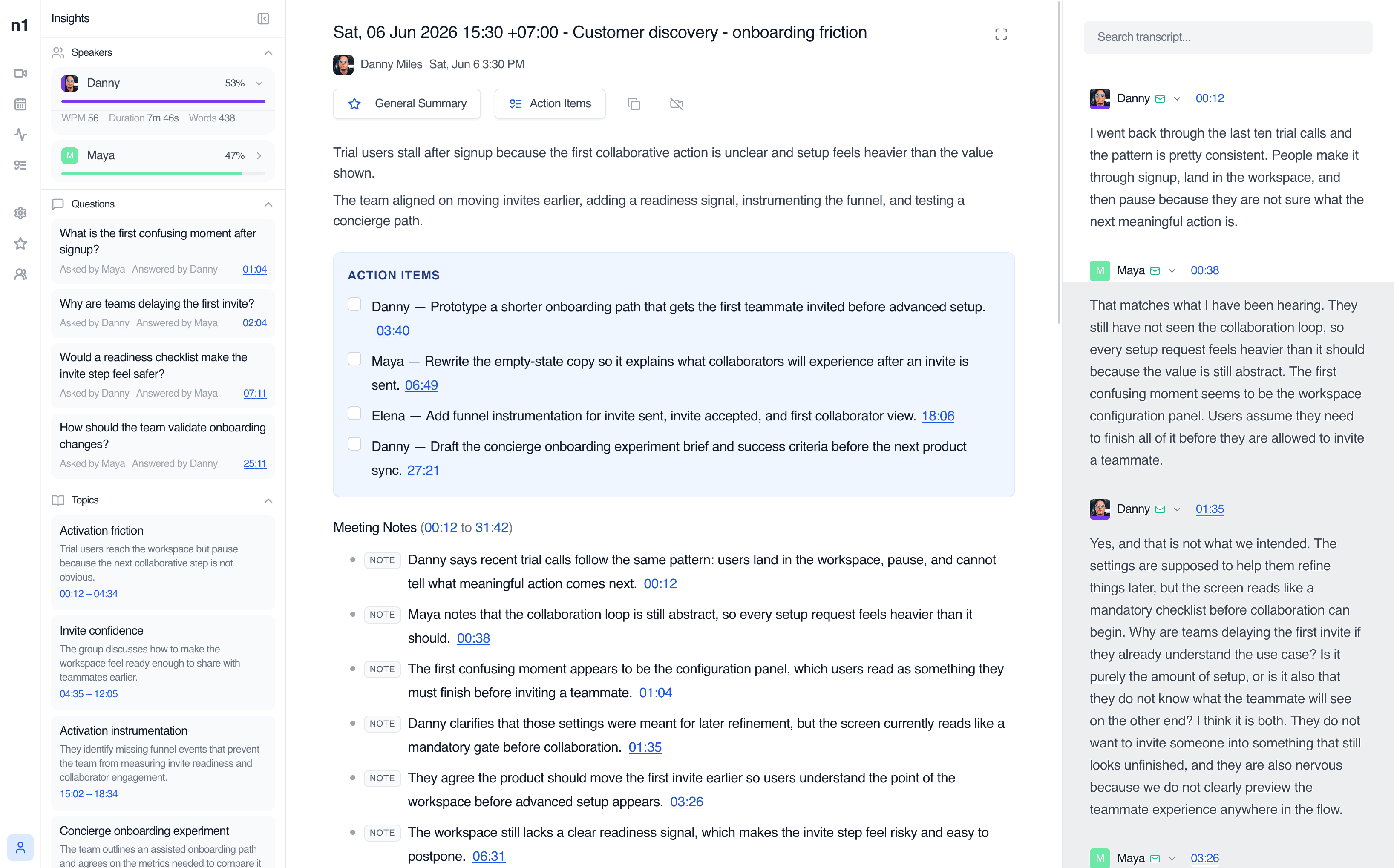
AI meeting summaries and recaps
Start with the outcome, decisions, detailed meeting notes, and generated follow-ups.
Learn moreSearchable meeting transcript
Review who said what, search exact phrases, and use speaker-linked timestamps.
Learn moreMeeting action items
Keep owners and source moments attached to the work that follows.
Learn moreChoose who can see the meeting and what stays personal
A private meeting record and a private thought are not the same thing. Meeting visibility controls the recording, transcript, summary, and action items. Personal notes remain visible only to their author.
Visibility
Participants
Alex Morgan — had this meeting on their calendar
Maya Chen — had this meeting on their calendar
Also visible to
Nobody else has been added.
Private visibility limits the recording, transcript, summary, and action items to identified participants and workspace members you add.
Notes
Personal notes are visible only to their author. They do not change who can access the complete meeting record.
Private meeting access and Personal notes solve different problems, so note1 keeps them explicit.
Know what still needs attention before the next one-on-one
Review the open commitment first. If the wording or context is unclear, search the meetings you can access and return to the exact source moment.
Find the point you need
AI meeting transcription keeps speaker-labelled lines available by phrase, speaker, and timestamp.
02Recover the surrounding context
Search past meetings you can access for feedback, decisions, blockers, and exact phrases.
03Hear the exact moment
Meeting recording and playback opens the relevant timestamp instead of replaying the whole call.
Different conversations need different kinds of notes
Meeting notes for the video platforms your team already uses
Focused pages for each meeting platform, without making every page compete for every platform keyword.


Frequently Asked Questions
SupportCan AI create meeting notes for one-on-one meetings?
Yes. note1 can record supported one-on-one meetings, create a searchable transcript, generate an AI meeting summary, and organize action items with source timestamps.
What should one-on-one meeting notes include?
Useful one-on-one meeting notes usually capture progress, feedback, blockers, goals, decisions, commitments, and the follow-up actions both people agreed to take.
Can I choose a 1:1 meeting summary style?
Yes. The meeting settings include a 1:1 summary style. Changing the style regenerates how the same conversation is organized without changing the source recording or transcript.
Who can see a Private one-on-one meeting?
A Private meeting is available to identified meeting participants and workspace members explicitly added as viewers. It is not visible to everyone in the team.
Are Personal notes visible to the other participant?
No. Personal notes are visible only to their author. They are separate from Shared notes and from the Team or Private visibility applied to the complete meeting record.
Can I record a one-on-one without adding a bot?
Yes. The note1 Mac app can capture supported meetings without joining as a participant. You still need to disclose the recording and obtain consent where required.
Does note1 work with Google Meet, Zoom, and Microsoft Teams?
Yes. note1 supports meeting notes, transcription, summaries, and action-item workflows for Google Meet, Zoom, and Microsoft Teams.
More AI meeting tools from note1
Connect one-on-one meeting notes to AI summaries, searchable transcription, timestamped playback, and meeting action items.
Make your next one-on-one easier to revisit
Stay in the conversation. Let note1 handle the transcript, summary, action items, and source context while you control who can return to the record.
Start using note1